
Updated 25 September 2020 at 13:08 IST
Snapchat update removed Half Swipe? Learn about the new method
The latest update by Snapchat in September 2020 made the users believe that the half swipe feature has been removed. Read on to know more about this new update.
- Tech News
- 2 min read

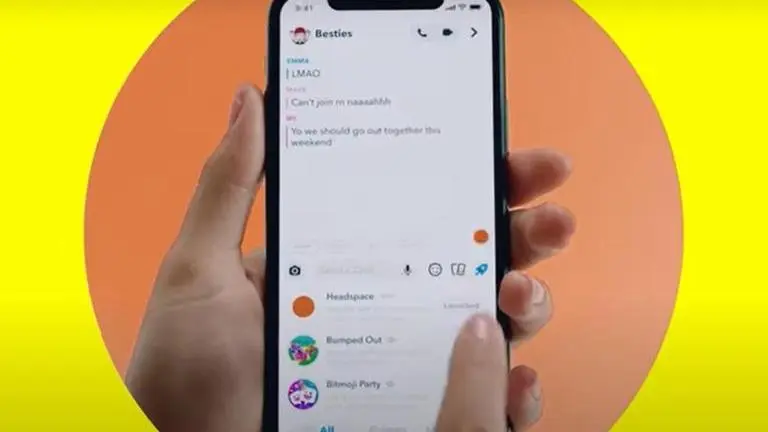
After the latest move by Snapchat on September 22, Tuesday, Twitter was filled with tweets on this update in which the users of iPhone complained about the update. Snapchat is another social media platform app developed by Snap Inc. which is famous worldwide. Read on to know more about the Snapchat update:
Snapchat Update 2020: Half Swipe and Other Changes
In the latest update of version 11.1.1.66 for the Android platform and 11.1.5.74 for the iOS users, the changes made to the look and feel of this app got huge criticism from its users on Twitter. The complaints were mainly made by Apple users specifically. As of now, there is no way one can uninstall this new Snapchat 2020 update. One thing that the users can do to prevent this from happening again is to turn off the auto-update. To do this, navigate to Settings, then click on iTunes and App Store tab, then under the Automatic Downloads there will be an option to updates app; turn it off. Since the automatic app update feature has been turned off, the apps on your iPhone will get updated only when you choose to do so manually.
Advertisement
this is the ugliest update i have seen in my entire life. plz change it back lolz @Snapchat pic.twitter.com/ywpsBYElaH
— ✨ 𝓇𝓊𝓉𝒽✨ (@funniertfish) September 22, 2020
every time I open the snap chat app, I feel like I own an android with this ugly update pic.twitter.com/d20NtcgBGJ
— pain 🌹 (@90swonder) September 22, 2020
Did anyone’s snapchat turn into an android over the past 15 min or is that just me pic.twitter.com/tMMdMPDk66
— shelb (@shelbybigbee21) September 22, 2020
How to Half Swipe on Snapchat After the Latest 2020 Update
Many users believed that the Half swiping feature was removed in this update but this wasn't the case. In Snapchat, Half swiping means the users can swipe a little to the right which allows them to read someone's message within the app, without having to open the message entirely. Many of the Apple users went out to Twitter to express their dissatisfaction with the look and feel of this update and also because they thought that this feature got removed.
Advertisement
Being able to read messages without actually opening them is one of the reasons why half swipe is popular as it gave the users more time to reply. The half swipe can still be used but just in a different way now. The users need to press down on their Bitmoji in the chat view, then half swipe to view the message while holding down the Bitmoji all along.
Promo Image Credits: Screenshot from Snapchat
Published By : Saurabh Sabat
Published On: 25 September 2020 at 13:08 IST